How It Works
No technical knowledge required. We handle the complexity so you can focus on your clients.
From payment to profile in seconds
Customer clicks your Stripe payment link
Share your payment link on your website, social media, or email. No Mindbody login required.
Payment is processed through Stripe
Customer completes purchase using Stripe's secure checkout. Credit card, Apple Pay, Google Pay — all supported.
We receive the webhook instantly
Within seconds of payment, our system receives all the transaction details from Stripe.
Customer is matched or created in Mindbody
We check if the customer exists by email. If they do, great. If not, we create their profile automatically.
Service is attached to their account
The purchased class pack, membership, or service appears in their Mindbody account immediately. Ready to use.
From signature to Mindbody, automatically
Send one waiver link to all clients
New clients, returning clients, walk-ins, workshop attendees — everyone uses the same link. Share it in confirmation emails, on your website, or at the front desk.
Client fills out the form
They enter their contact info, emergency contact, any health conditions, and sign the waiver. Clean, mobile-friendly experience.
We match them to Mindbody
Using their email, we find their existing Mindbody profile. If they're new, we create one automatically. No duplicates.
Profile is updated
Address, phone, DOB, emergency contact, and consent preferences all sync to their Mindbody profile. Always current.
Signed waiver is stored
The PDF appears in their Documents tab in Mindbody. The waiver date is visible on their profile. Staff can verify at a glance.
Audit trail is recorded
We keep an external log of when the waiver was sent, viewed, and signed. If you ever need proof, you have it.
See exactly what gets updated
When a client submits their waiver, all the highlighted fields below are automatically filled in their Mindbody profile.
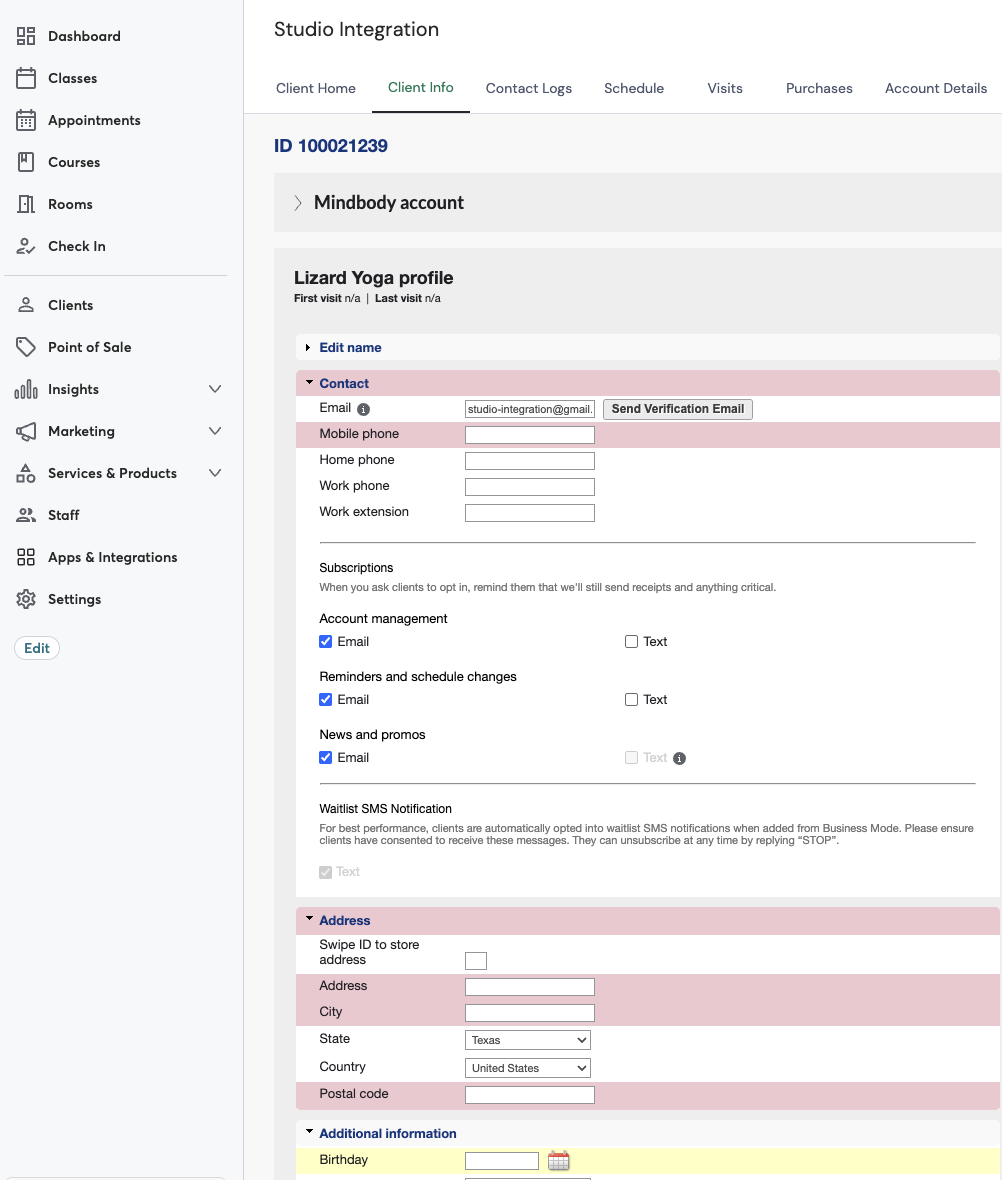
Emergency Contact
Name, relationship, phone & email
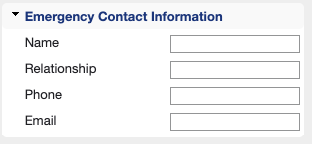
Waiver Date
Custom field tracks when waiver was signed
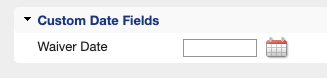
Client Notes Stripe
Staff sees what was purchased at a glance
Purchase History Stripe
Service attached to client, payment method shows "Stripe"

Scroll horizontally to see full table on mobile
How it appears in Mindbody:
Option A: $0 with Discount
Shows full price with a matching discount applied. Mindbody records $0 since payment was collected via Stripe.
Option B: Full Amount Paid
Shows the full amount as paid in Mindbody. Use this if you want your Mindbody reports to reflect total revenue.
This is configurable per studio — we'll set it up based on your preference during onboarding.
Phone & Address
Contact info syncs directly from the waiver form
Birthday
Date of birth for age verification and promos
SMS Consent
Text preferences set automatically from opt-in
What you don't have to do
We handle the technical work. You handle your clients.
Simple setup
We'll walk you through everything. Most studios are up and running in one call.
Book a demo
We'll review your current setup and show you exactly how it works.
We configure everything
Connect your Mindbody and Stripe accounts. Map your products. Set up your waiver form.
Go live
Start accepting payments and collecting waivers. We're here if you need anything.
Ready to see it in action?
Book a quick demo. We'll walk through your specific setup and answer any questions.